
Our Complete Guide – How to Design a Business Card
When you design a business card, it serves as a critical first impression and touchpoint with potential customers and partners. While business cards may seem straightforward, thoughtful design can make your card stand out and leave a lasting impression.
In our complete guide, we’ll walk you through the best essential elements of creating a professional business card that reflects your brand and captures the attention of all those who see it.
Not sure what size or material to choose? Read our guide on mastering business card sizes and stocks.
Introduction: Why Business Cards Matter
A well-designed business card is much more than a way to share contact information. It represents your brand, conveys professionalism, and serves as a marketing tool to make a memorable first impression. In a world of digital communication, a tangible and thoughtfully crafted card can leave a lasting impact.
Essential Elements of a Business Card
Before you start designing your business card, gather all the key information you need to include. Here are the most common elements:
Logo: Represents your brand identity.
Name and Job Title: Clarifies who you are and your role.
Contact Information: Includes phone number, email address, website, and social media links.
Tagline (Optional): A concise statement that summarises your business.
Organising this information before designing ensures a smooth process.
Need help reinforcing your brand? Read our branding guide.
Design a Business Card – Design Tips
Choose the Right Style
Select a style that aligns with your brand and target audience. Consider shape, orientation, and finish:
- Luxury businesses may benefit from finishes like spot UV or foiling.
- Vertical or folded business cards can help you stand out.
- Minimalistic designs work well for modern, professional brands.
Focus on Key Information
Space is limited, so prioritise the essentials. Avoid cluttering your card and stick to:
- Name
- Job Title
- Contact Information
- Logo
Additional elements, like QR codes or social media links, should be used sparingly.
Follow Design Standards
To ensure professional results, follow these graphic design standards:
- Use a minimum font size of 8pt for readability.
- Work in CMYK colour mode for accurate printing.
- Add a 3mm bleed and a 3mm safe area around the edges.
- Save your design as a high-resolution (300dpi) PDF.
Select an Appropriate Size
Business cards come in various sizes, such as:
- Standard (85mm x 55mm)
- Square (55mm x 55mm)
- Slim (85mm x 40mm)
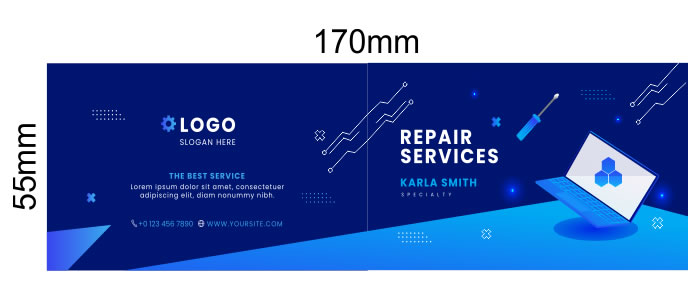
- Folded (85mm x 110mm, folded to 85mm x 55mm)
Choose a size that suits your design and brand message. Folded cards, for example, provide more space for additional details.

Ensure Readability
Avoid cramming text or using overly small fonts. All information should be legible when printed. Test your design by printing a sample at the actual size to ensure clarity.
Use Colour and Space Effectively
Colour: Choose colours that complement your logo and brand identity. Softer colours are often preferred in industries like beauty, while bold tones suit more dynamic brands.
Space: Ensure there is enough white space to let your design breathe. Using both sides of the card can help declutter the layout.
Using Canva? Read our guide on setting up print-ready files in Canva.
Printing Considerations
The materials and finishes you choose for your business card greatly impact its durability, texture, and overall impression.
Choosing Card Stock
The choice of cardstock impacts the look and feel of your business card. Options include:
350gsm Silk: A standard option, but may feel less premium.
450gsm Silk: A thicker, more durable choice for a professional finish.
Uncoated: Ideal for writing on loyalty cards.
Ultra-thick: Offers a luxury feel but may not suit every brand.
Creative Finishes
Enhance your card’s appearance with finishing options:
Matt Lamination: Professional and understated.
Soft Touch Lamination: Adds a velvety texture for a premium feel.
Gloss Lamination: Shiny and reflective, ideal for vibrant designs.
Spot UV or Foiling: Highlights specific elements, like logos or text, for added flair.
Proofreading and Finalising Your Design
Proofreading is crucial to avoid costly mistakes. Before sending your card to print:
Check for typos, spelling errors, and grammatical mistakes.
Verify contact information (phone numbers, email, etc.).
Print a sample to check readability and layout.
Share the design with colleagues or friends for feedback.
Mistakes can be expensive and embarrassing. Take the time to review your work thoroughly.
Conclusion: Take Your Business Card to the Next Level
A well-designed business card reflects your brand and sets the tone for professional relationships. By following this guide, you can create cards that stand out, convey your message clearly, and leave a lasting impression.
When you’re ready, choose a trusted print company to ensure your design is brought to life with high-quality printing. Start designing your unique business card today and take your brand to new heights!


